Skip to content

Open 7 daysSame-day service

Computer Repairs

Same-day MacBook & Mac Repair · Melbourne

MacBook & Mac Repairin Melbourne

MacBook Air, MacBook Pro, iMac and Mac mini repairs by technicians who work on Apple hardware every day.

We repair:

Prefer to talk? Call1300 000 000

Technicians on the road now

4.9Trusted by 500+ Melbourne locals
  • 1-year warranty
  • No fix, no fee
  • Open 7 days
Technician carrying out a macbook & mac repair

Most jobs fixed same day

Get a MacBook repair quote

Usually replies within 15 minutesNo obligation

No fix, no fee · 1-year warranty

Common problems

Seeing one of these?

Click a symptom to see it, and find out what it usually means.

Diagnosis · #CRM-0427Likely fix
Symptom
Battery: Service Recommended
Likely cause
Your battery has worn out and can’t hold charge properly.
Usually fixed
Same day
Get this fixed Free quote · No fix, no fee

Don’t see your problem? Call 1300 000 000 and we’ll diagnose it.

Service details

How we fix your MacBook

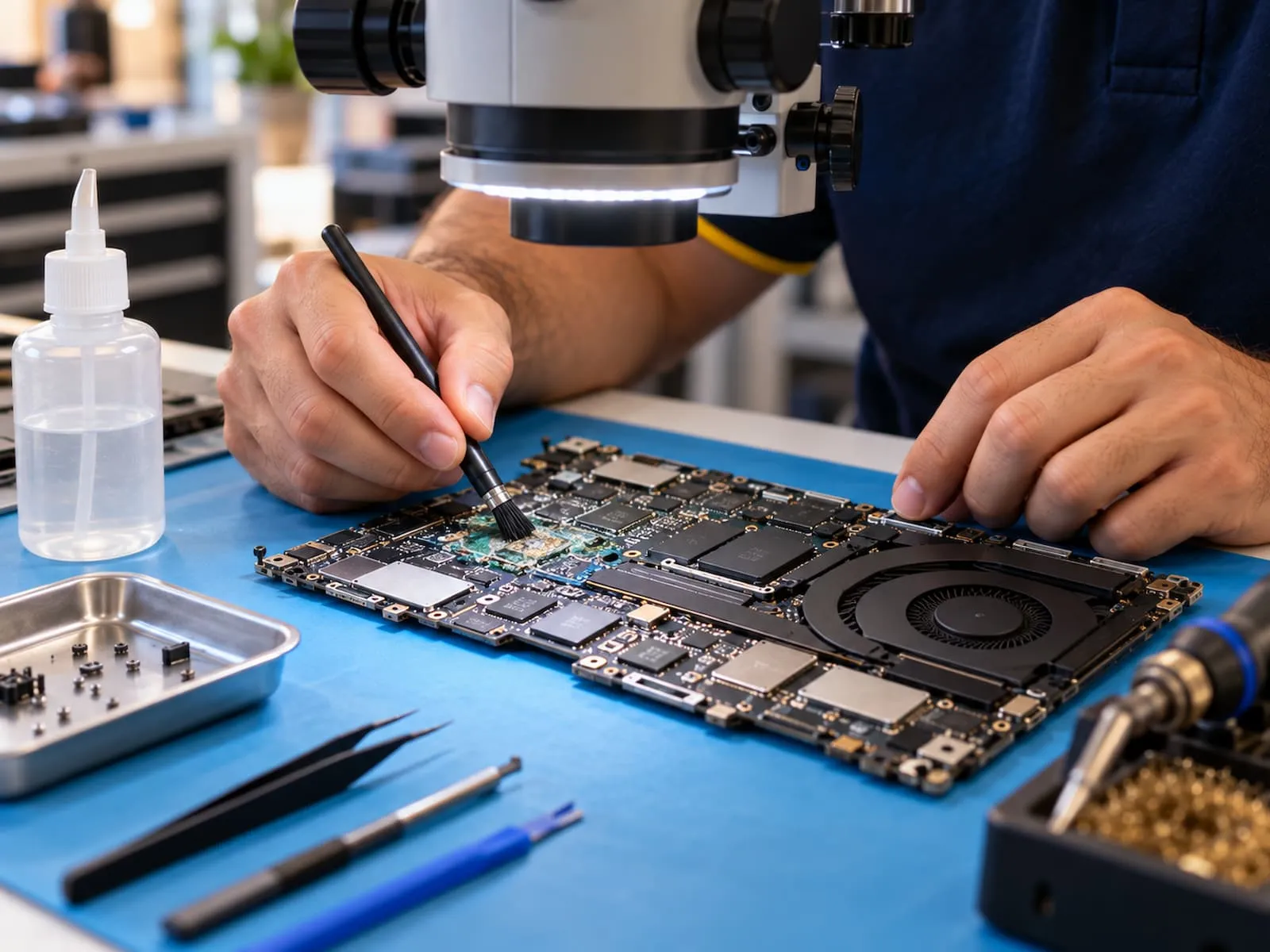
Technician cleaning a MacBook logic board under a microscope

Board-level repairs

Logic board and liquid damage repairs

When a MacBook won’t turn on or has had a drink spilled on it, the problem is usually on the logic board. We repair the board itself where possible, instead of replacing the whole thing, which often saves you hundreds of dollars.

  • No power, no display or random shutdowns
  • Coffee, water and wine spills cleaned and repaired
  • Faulty charging circuits and USB-C ports
  • Data saved first, wherever it can be

Get a quote for this
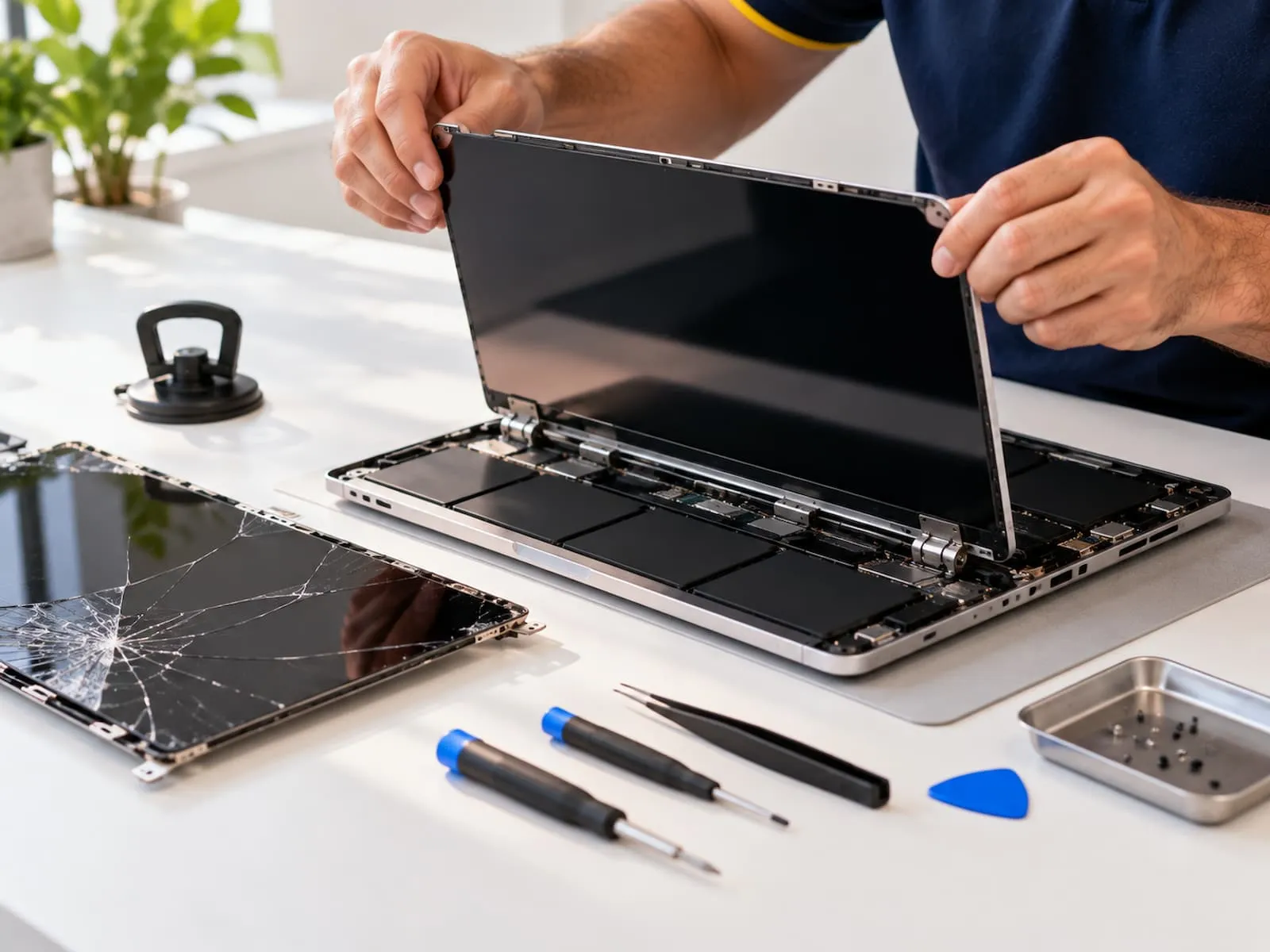
Technician fitting a new display to a MacBook, with the cracked screen beside it

Display & keyboard

Screen and keyboard repairs

Cracked screens, flickering displays and uneven light along the bottom edge are some of the most common MacBook faults we see. We also fix sticky, repeating and dead keys, including the butterfly keyboards found on many 2016–2019 models.

  • Cracked or black Retina displays
  • Flickering screens and backlight faults
  • Sticky, repeating or unresponsive keys
  • Trackpad clicks and response problems
Get a quote for this
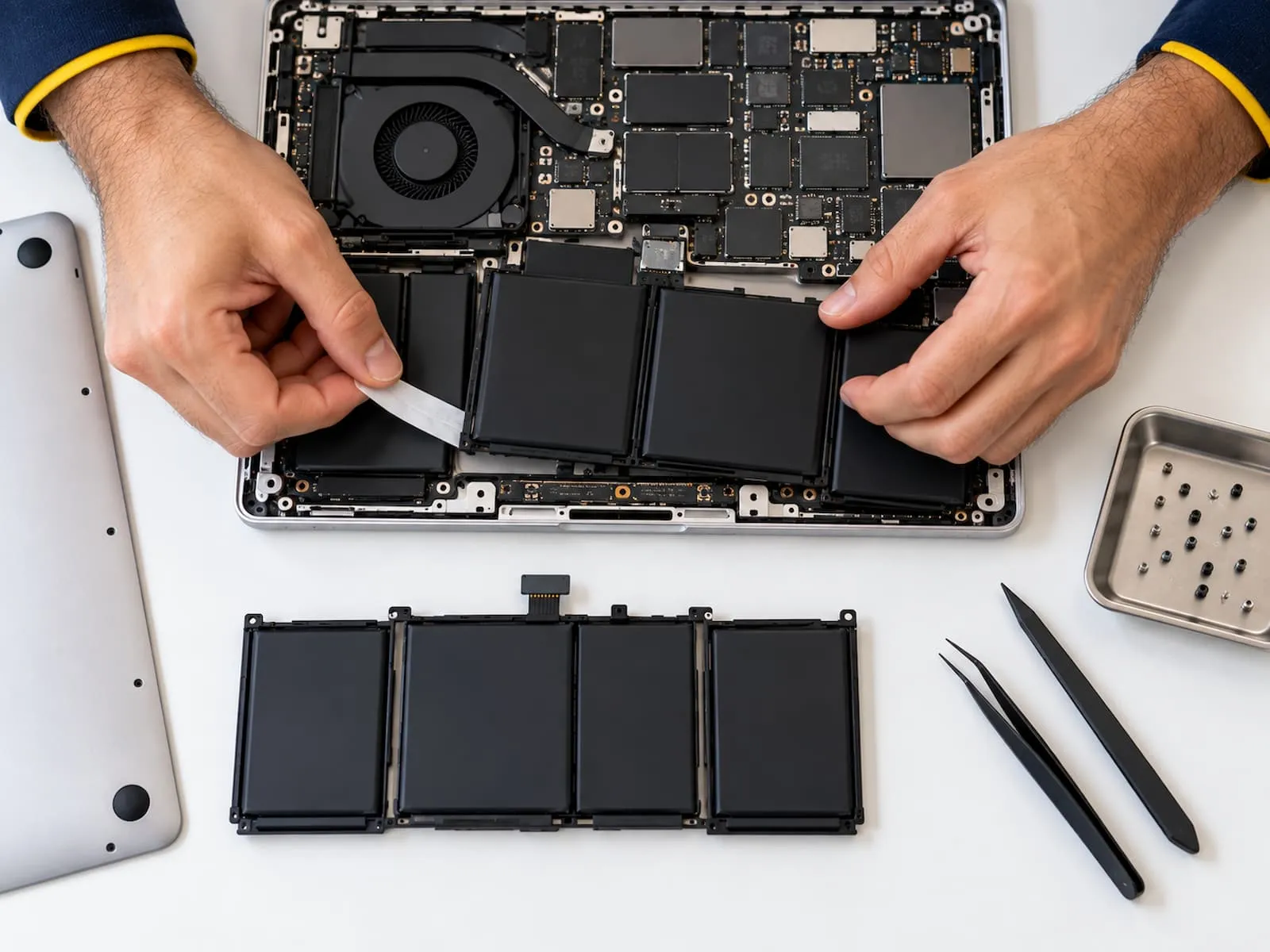
Technician removing an old MacBook battery, with the replacement battery on the desk

Battery & speed

Battery and performance fixes

If your MacBook says “Service Recommended”, dies at 30% or crawls when you open a few apps, it usually needs a new battery, more storage space or a clean-up. Most battery replacements are done the same day.

  • “Service Recommended” and swollen batteries
  • Fast-draining or non-charging batteries
  • Slow startups and the endless spinning wheel
  • Overheating and loud fans cleaned out
Get a quote for this

How it works

How your MacBook repair works

Three simple steps, and you deal with the same local technician from the first call to the finished repair.

  1. Customer on the phone describing a laptop problem1

    Call or book online

    Call or send the quick form with your MacBook model and what it’s doing. A technician talks it through with you, no call centre.

  2. Technician arriving at a customer’s home with a toolkit2

    We diagnose and quote

    We check your MacBook at your place or in our workshop, find the fault and give you a fixed price. Nothing goes ahead until you say yes.

  3. Repaired laptop being handed back to a happy customer3

    Fixed and returned

    Many repairs are done the same day, and we tell you the timeframe upfront. Every repair is backed by our 1-year warranty, and if we can’t fix it, you don’t pay.

Models we repair

Every Mac, old or new

Every model from older Intel Macs to the latest Apple silicon (M-series).

Not sure which Mac you have?

Apple menuAbout This Macor call1300 000 000

Pricing

Upfront prices, no surprises

We quote before we start, and the price we quote is the price you pay. Prices below are a guide; we’ll confirm yours after a quick look.

  • Free quote before any work
  • 1-year warranty on parts and labour
  • No fix, no fee

Prefer to talk? Call1300 000 000

MacBook & Mac Repair · price list

Melbourne
  • Diagnosis & assessment

    Free

    No charge to find out what’s wrong

  • Battery replacementMost booked

    from$199AUD

    MacBook Air and Pro, fitted and health-checked

  • Screen replacement

    from$349AUD

    Cracked, black or flickering displays

  • Keyboard repair

    from$229AUD

    Sticky, repeating or dead keys

  • USB-C / charging repair

    from$179AUD

    Ports and charging circuits on the board

  • Liquid damage treatment

    from$149AUD

    Clean, assess and repair the logic board

  • Logic board repair

    from$299AUD

    No power, no display or shutdowns

Prices include parts, labour and GST, and vary by model and year. Your exact price is confirmed before any work starts.

What customers say about our macbook & mac repair

Real jobs, real Melbourne customers.

  • “I accidentally spilled a flat white on my MacBook Air before a client presentation and honestly thought I’d ruined it. I called around 8am and they had it opened up by lunchtime and talked me through what had been damaged. Got it back the next day and everything was working perfectly. Really thought I was going to have to buy a new laptop, so I’m very happy with the result.”

    Liquid damage repairJess T.Northcote · 3 weeks ago
  • “My 2019 MacBook Pro kept showing “Service Recommended” and dying at 30%. New battery fitted same day and the price was what they quoted on the phone. Easy.”

    Battery replacementMark D.Camberwell · 1 month ago
  • “My MacBook Pro had a few really sticky keys, especially the E key and spacebar, and it was getting pretty annoying to use. They replaced the keyboard and gave the inside a good clean while they had it open. Got it back and it honestly feels like a different laptop. Typing is back to normal now.”

    Keyboard repairSandra K.Glen Waverley · 1 month ago

Read all 500+ reviews →

FAQ

MacBook & Mac Repair questions, answered

The things Melbourne customers ask us most before booking a repair.

Still have a question?

Talk to a technician. Straight answers, no obligation.

How much does a MacBook repair cost?

It depends on your model and the fault. A screen on a MacBook Pro costs more than a battery on an older MacBook Air, for example. We diagnose it first and give you a fixed quote before any work starts, and if we can’t fix it, you don’t pay for the repair.

How long will my MacBook repair take?

Battery replacements and many keyboard and charging repairs are done the same day. Screens and logic board repairs usually take 1–3 days, and if a part needs ordering it typically arrives within 2–5 business days. We confirm the timeframe before we start.

Which MacBook models do you repair?

We repair MacBook Air and MacBook Pro models, from older Intel machines through to Apple silicon (M-series) Macs, as well as iMac and Mac mini. Not sure which one you have? Click the Apple menu and choose About This Mac, and tell us the model and year shown there.

How do I know if my MacBook battery needs replacing?

On recent versions of macOS, open System Settings, then Battery, and check Battery Health. “Service Recommended” means it’s worn out. Other signs are the Mac dying well before 0%, only running when plugged in, or a trackpad that’s hard to click or a case that won’t sit flat, which can mean a swollen battery. If you suspect swelling, stop using it and call us.

Can you fix a MacBook with water damage?

Often, yes. Switch it off straight away, unplug it and don’t try turning it back on to check. Skip the bag of rice too, as it doesn’t stop corrosion. Liquid keeps damaging the logic board over time, so the sooner we can clean and assess it, the better the outcome.

Will I lose my data, and do you need my password?

Most repairs, like batteries, screens and keyboards, don’t touch your data. On newer MacBooks the storage is built into the logic board, so for board faults we’ll explain any risk to your files first and save them wherever we can. We may ask for your login to test the repair; you can set up a temporary account instead, and we never browse your personal files.

Do you use genuine Apple parts?

We use genuine parts where available, or high-quality equivalents, and we always tell you which option we’re quoting on so you can choose.

Will repairing my Mac void my AppleCare?

If your Mac is still covered by Apple’s warranty or AppleCare, we’ll usually recommend going through Apple first. For out-of-warranty Macs, we’re a faster and often more affordable alternative.

Are you an Apple Authorised Service Provider?

No. We’re an independent repair service, not affiliated with or endorsed by Apple. Our technicians work on Macs every day, and we’ll always be upfront about the parts we use and whether Apple is the better option for your situation.

Do I have to bring my MacBook in?

No. We can come to your home or office anywhere in Melbourne. Repairs that need specialist equipment, like logic board and liquid damage work, are done in our workshop, and we bring your Mac back once it’s fixed.

Is it worth repairing an older MacBook?

Often, yes. A new battery, keyboard or screen can give an older MacBook years more use for far less than a new one. If your model no longer gets macOS updates or the repair costs more than it’s worth, we’ll tell you honestly.

Is the repair covered by a warranty?

Yes. Parts and labour are covered by our repair warranty, so if the same fault comes back, we’ll make it right at no extra cost.

Service areas

MacBook repairs across Melbourne

Same-day service in these suburbs and many more.

See all suburbs

Open 7 days · Melbourne

Book your MacBook repair today

Speak directly to a local technician — not a call centre. Quick answers, upfront prices, no obligation.

  • Same-day appointments across Melbourne
  • Firm quote before any work starts
  • 1-year warranty on parts and labour
  • No fix, no fee
1300 000 000Get a free quote Tap to call a technician now
Call Now Get a Quote